Changing consoles used to be hard.
Not with CON'VERT
Easy conversion, merging, showfile building and editing in one place
Get CON'VERTmacOS and Windows · $99 USD a year
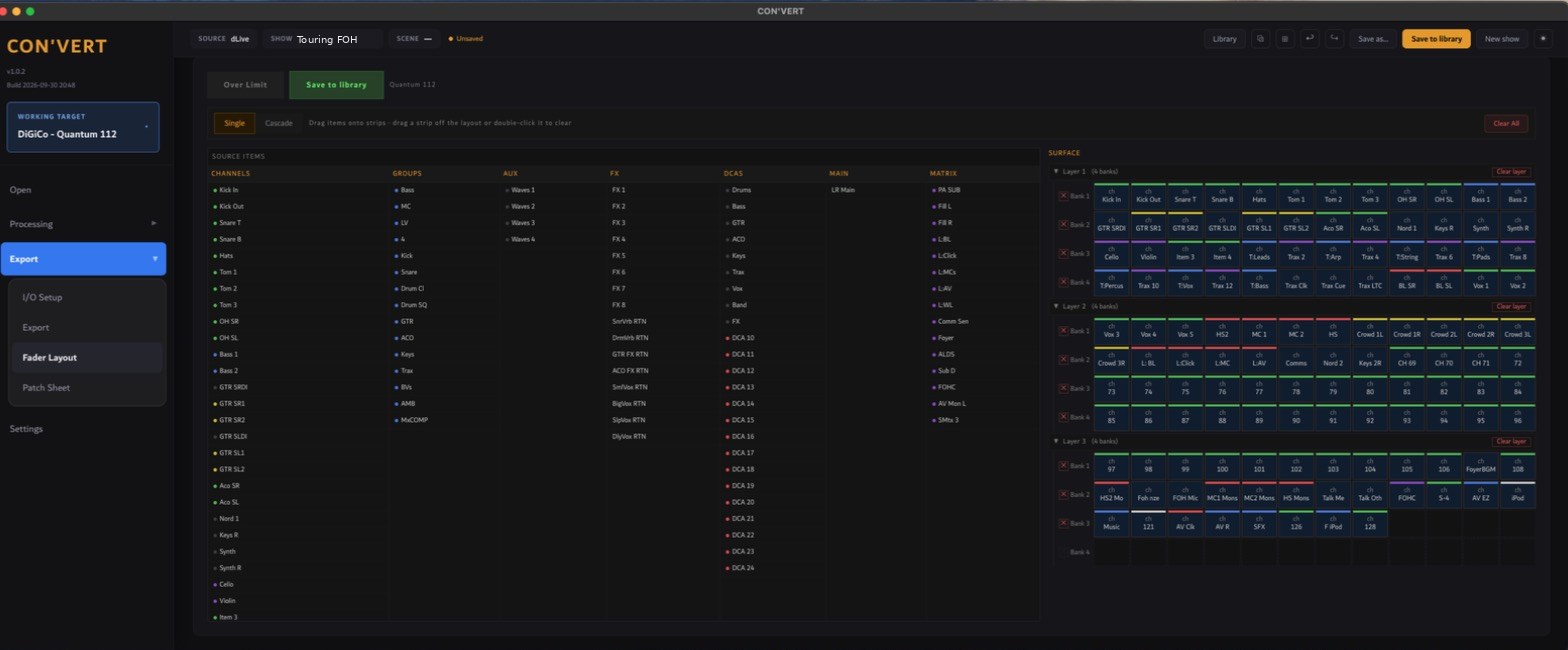
Easy conversion, merging, showfile building and editing in one place
Get CON'VERTmacOS and Windows · $99 USD a year
Open a showfile from one console, edit and convert it for a different console. The heavy lifting is done for you.
Combine two showfiles into one. Keep the house output patch but import the band's input channels and processing, or any combination of the two. They don't even have to be the same console.
Build a show from scratch. Add, edit or remove channels, auxes, groups, matrices, FX and mains as required.
Channels, buses, DCAs, FX, patching and fader layouts all come across. Conversions may need finalisation or tweaking on the console, but the hard work is done.
All manufacturer, console and product names belong to their respective owners. CON'VERT is not affiliated with any of them.
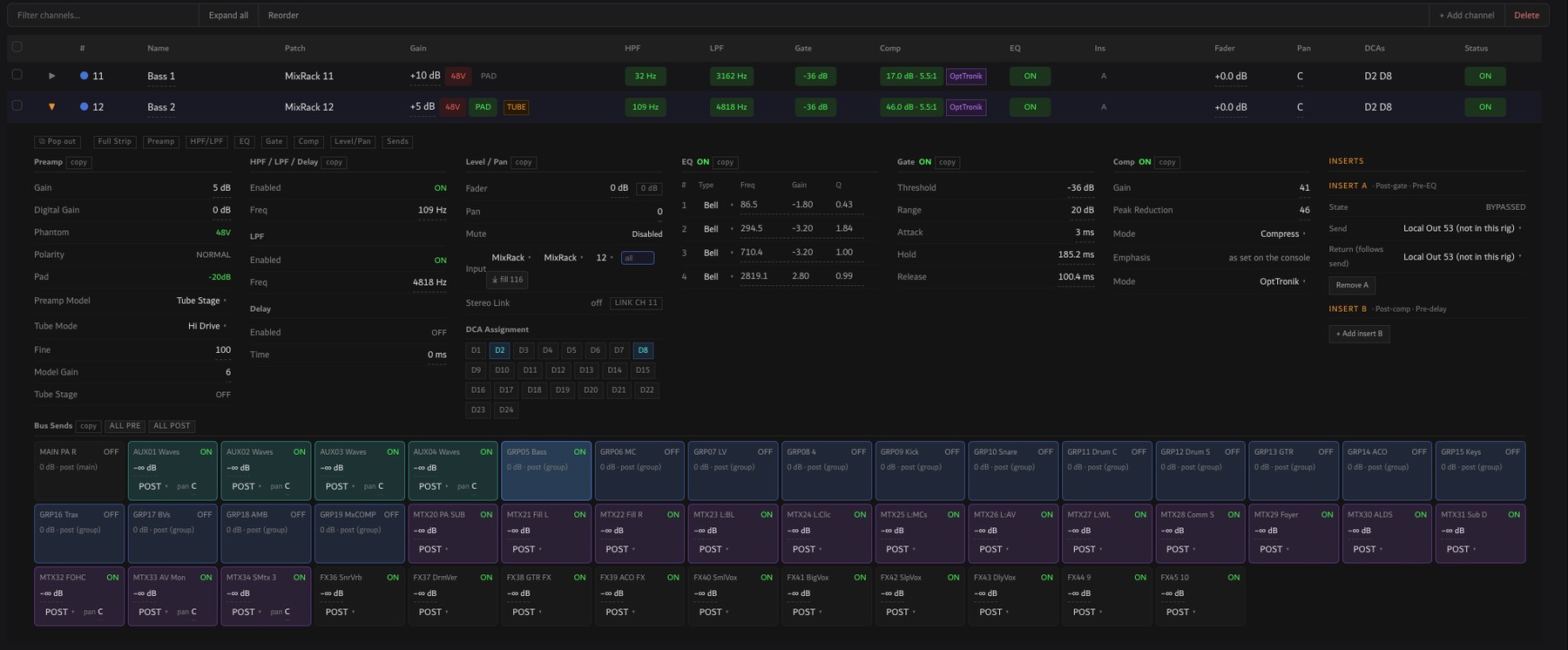
Reorder channels and buses by simply dragging them where you want them
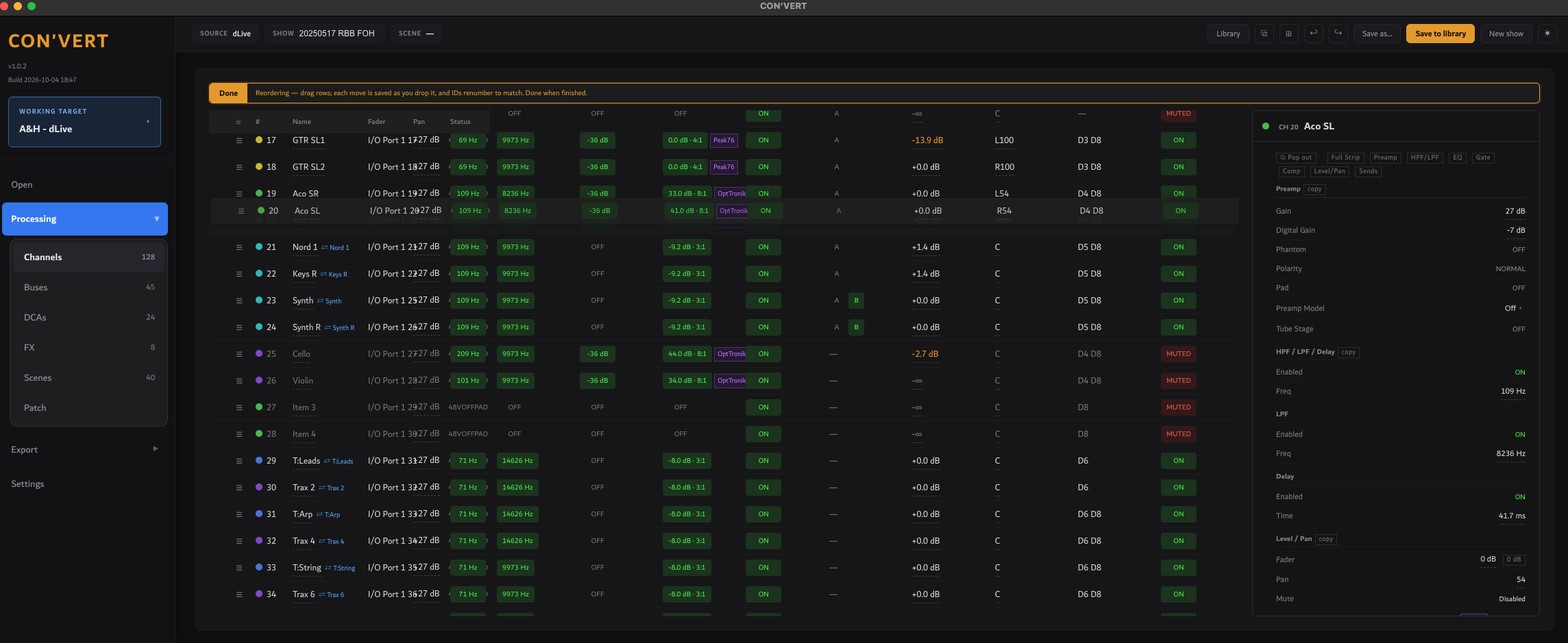
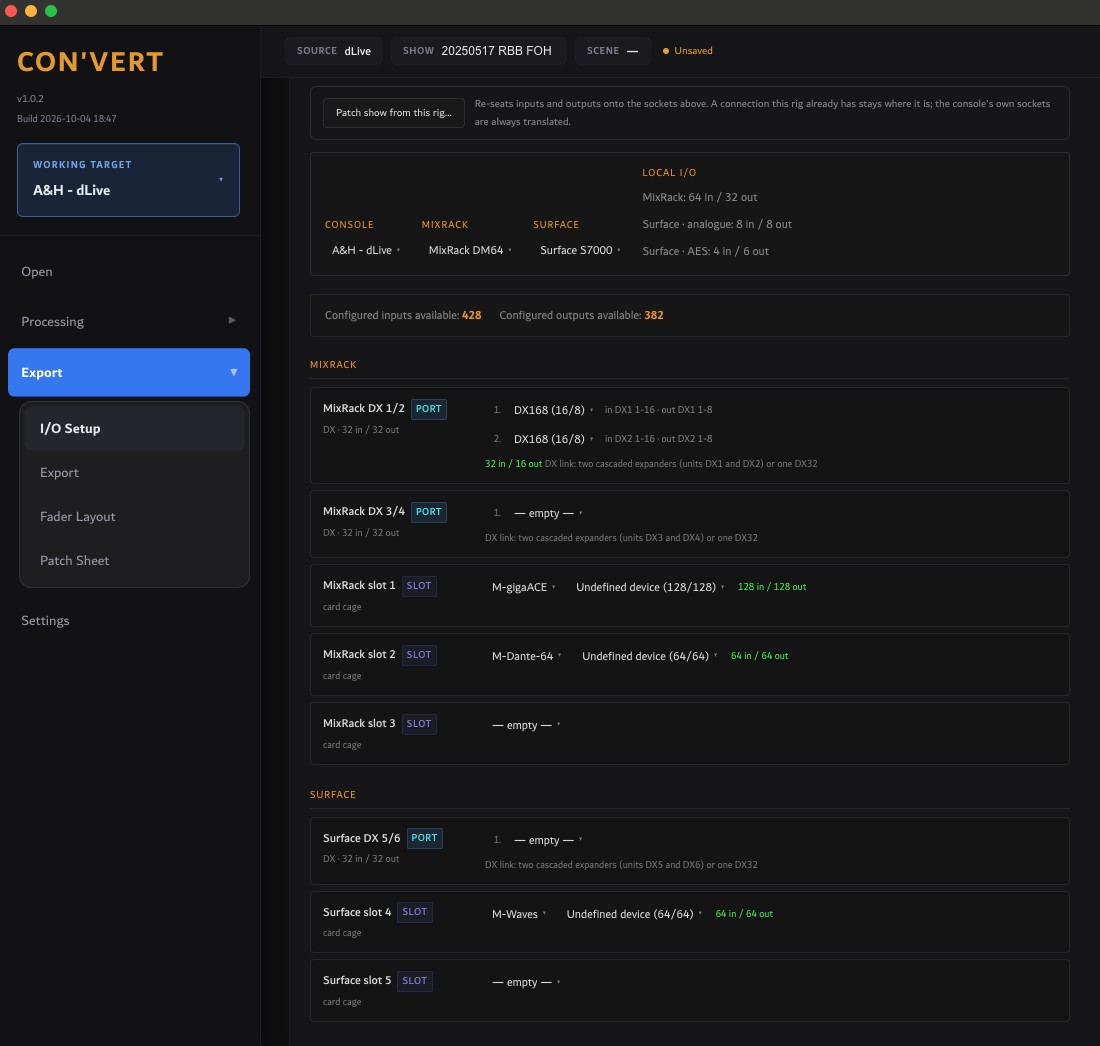
Build the full console infrastructure for patching, from MixRacks and surfaces to expanders and card slots
No internet needed to convert. Do it on a plane, backstage or in a venue with no wifi
An occasional internet connection is needed for licence checks
It converts your showfile from one console to another, plain and simple. However you can do far more if you need to!
Over 50 desk models from five manufacturers: Allen & Heath (Avantis, dLive, GLD, SQ and SQ+), Behringer (X32), DiGiCo (Quantum and SD), Midas (M32) and Yamaha (CL, DM5, DM7, QL and RIVAGE PM). All the listed consoles support both reading and writing, so any of them converts to any other. More consoles are coming soon.
Channels, buses, DCAs, FX, patching and fader layouts. Channel names, colours, preamp settings, filters, EQ, gates and compressors, inserts and sends come with them.
CON'VERT does the hard work for you. Depending on the specific conversion, you may have to do some final tweaks. You should always check a showfile before going live!
Yes! CON'VERT combines two shows into one, so you can integrate a house showfile with an artist's showfile.
Yes! You can build from scratch, open an existing showfile or edit either!
Yes! Converting doesn't need an internet connection, so you can work on a plane, backstage or anywhere with no wifi. Internet is needed for periodic licence checks but you'll never be stuck.
No! CON'VERT runs locally on your computer, your showfiles remain your own and are never uploaded (unless you explicitly agree to for a bug report).
macOS (Apple silicon and Intel) and Windows (64-bit and 32-bit).
We've made CON'VERT incredibly affordable to use as a single transferable licence platform.
We've made CON'VERT incredibly affordable so everyone can jump right in and enjoy it!
After payment you'll receive a licence key and download link by email. Install the appropriate version, enter the licence key on first use, then you are ready to convert.
Yes! Windows shows a “Windows protected your PC” message for software it doesn't recognise yet. Click More info, then Run anyway and you're good to go. The macOS version is signed, so you won't see this on a Mac. Only install CON'VERT from the link in your purchase email.
Your showfiles will stay secure in the app locally and once you renew a subscription you'll be back up and running.
Yes! Probably! We're always working on adding new consoles based on an internal leaderboard, but let us know at hi@consoleconvert.com which one you need!
For account and product support, email support@consoleconvert.com. For anything else, email hi@consoleconvert.com.